
Accessing to DirectAdmin via Client Area
1. Login to the Client Area
Click "Forgot Password?" if you could not recall the password. You will receive an email with instruction on resetting your password.
2. Click Services > My Services > Click on "Active" button on the your selected product/service
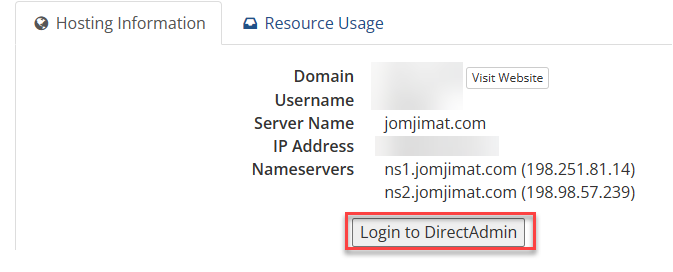
3. On the Overview - Information, click "Login to DirectAdmin".
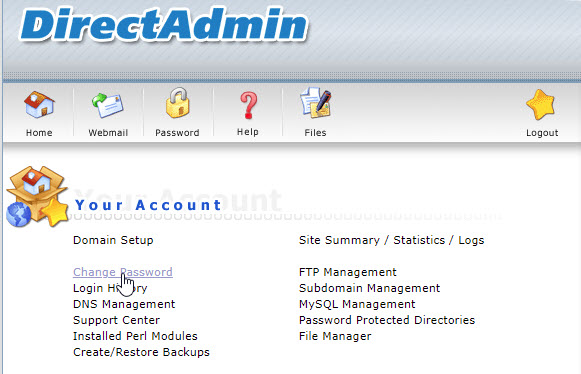
4. To change your password to login to DirectAdmin, click on "Change Password". You may then login directly to your DirectAdmin with the new password.
5. Alternatively, you may perform passsword reset in DirectAdmin directly.

Was this answer helpful?
Also Read
Powered by WHMCompleteSolution